

Type C To Type C Cable
What is Type C To Type C Cable
Type C To Type C Cable offers fast, versatile, and reliable charging for a wide range of devices. Compared to a regular USB-C cable, a USB-C PD cable supports higher wattage and enables quicker charging, while also negotiating power dynamically to prevent overcharging or undercharging.
Why Choose Us?
Rich Experience
Established in 2009, Helge Electronics Co., Ltd. is a leading manufacturer based in Shenzhen, China, renowned for its production of data cables and chargers. With over 180 employees, our company has garnered extensive expertise in the industry.
Complete Qualifications
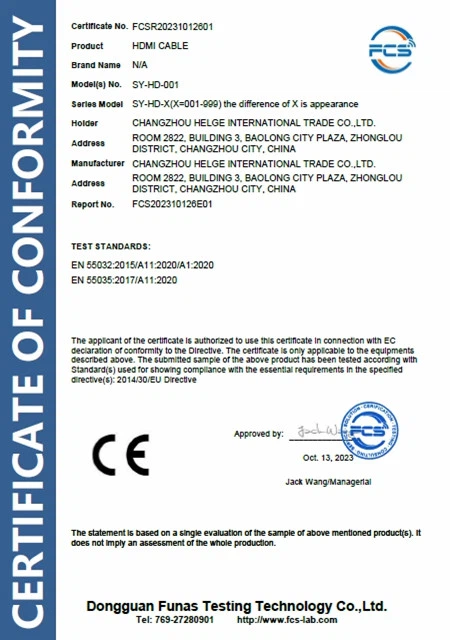
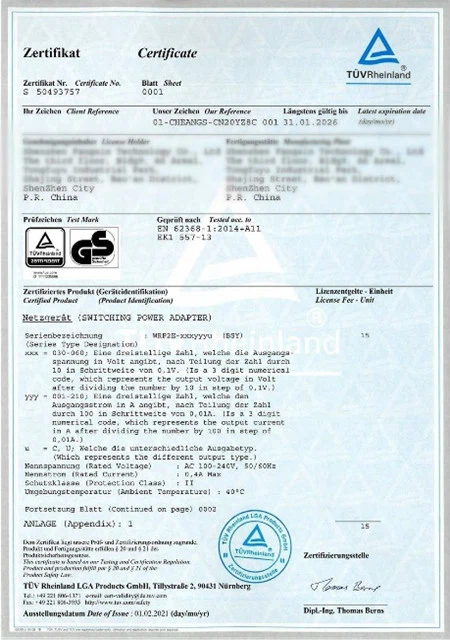
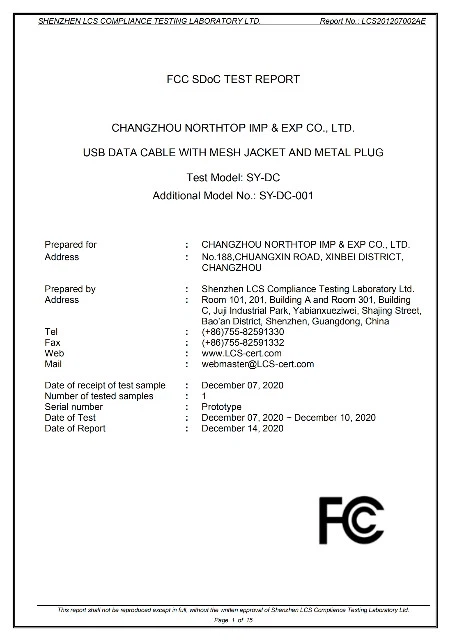
Boasting a remarkable track record of 15 years in exports, Helge Electronics holds a comprehensive array of certifications, including UL/CUL, TUV/GS, PSE, KC, KCC, CB, FCC, CCC, UKCA, ERP, CEC/CE, EMC, and SMETA. These certifications underscore our commitment to unparalleled quality and adherence to international standards.
Professional Technical Team
At the core of our operations is a dynamic research and development team dedicated to driving innovation and product enhancement. Their relentless pursuit of excellence ensures that we stay ahead of market trends and technological advancements, delivering cutting-edge solutions to our customers.
Quality Assurance
Our stringent quality control system guarantees that every product undergoes rigorous inspection, from raw material sourcing to final production, maintaining the highest standards of quality and reliability.


Benefits of Type C To Type C Cable
Reversibility
One of the major problems faced by many people is that they have to check the orientation of the USB cable before they can get it to work. Not anymore!
The USB Type-C cable is reversible, meaning that it can be plugged into the connector whether you are facing it or not because it does not matter which side you face. This way, you do not have to worry about the orientation of your USB cable. It will fit smoothly.
Symmetry
The USB Type-C cable is symmetrical, meaning that the two sides look like each other. It allows your device to charge without awkwardly turning around the USB cable so that the other end of the cable can be directed to the USB port.
This cable is the newest development in the history of USB cables, and it is the fastest, most convenient, and the future of USB cables. It is the future of connectivity of all various devices. With the charging speed of the USB Type C cable, there is no more waiting. You will never have to worry about your devices going dead.
Speed
Whether you have a USB C magnetic charger or the conventional USB Type-C cable, you will not be disappointed with its speed. Your USB Type-C port can charge twenty times faster than the traditional USB port. It means you will always have the quickest and most efficient charging experience. Your devices will be charging in no time!
Durability
As mentioned earlier, the USB Type-C cable is very durable, making it one of the best USB cables that you can buy. You can attribute its durability to its endurance to wear and tear, bent and twisted and still come back for more. It does not wear out quickly, thereby saving you the cost and the stress of always buying new cables now and then.
Compatibility
Most gadgets, such as smartphones and tablets, have a USB Type-C charging port. The USB Type-C cable is a must-have, and you need to make sure that you have a USB Type-C cable to charge the latest devices available. Its compatibility with your device is a certain way to make sure that you do not have to buy a new cable every time because you did not check if your phone has the USB Type-C charging port.
Types of Type C To Type C Cable
There are a variety of Type C To Type C Cable types, and they can sometimes be indicators of what generation device they go with depending on the design, color, and connector type. It's not always so cut and dry, however.
In the early days of USB, the most common connector was USB Type-A (and still is the most common type today). This is the rectangular-shaped connector that fits into most portable wall chargers, computer ports for peripherals and devices, and more. It is typically a white or gray color on the inside of the connector. The Type-A standard has been around for years, and it's not until recently that it's being phased out by USB-C which we'll talk about in a minute. You can find Type-A connectors across all USB generations. USB 1.0-2.0 - You can find Micro-A and Mini-A variants which provide the same performance but have smaller connectors. These have been phased out mostly with Micro-B and Mini-B in USB 3.0 applications.
Type-B connectors are larger connectors, nearly square-shaped, and were common with older computer peripherals like printers and such. The USB 3.0 version had an additional notch at the top and was colored blue. USB 3.0-3.1 Micro-B (or micro-USB) connectors were popular with external hard drives and had an additional notch for the pinout, but these are now being replaced by the more popular and newer USB-C connectors.
(USB 1 and 2.0) came in a mini and micro variant, offering a smaller-sized connector (Mini-A, Mini-B, Micro-A, Micro B). The smaller Type-A versions were less common than the Type-B, and for a time were the new standard over their larger connector counterparts. Once the USB Standard graduated to gen 3.0 the Type-A connectors got a makeover with a blue PCB indicating it was the newer USB 3.0 as opposed to the white of USB 1.0 and 2.0. You'll find blue on both USB-A cables and the even larger Type-B USB 3.0 connectors. The micro and mini variants also did away with the Type-A versions, leaving Mini-B and Micro-B to dominate.
The latest standard for USB connection is the Type-C connector. There are a lot of great things about the newer connector from the fact that it's smaller than previous USB type connectors and it's also double-sided, meaning you can connect it properly from either side. With types A and B, there is a specific configuration in order for the connection to be made. Type-C cables and connectors can also provide and receive more power than previous USB versions, as well as output display data to a monitor, and be used specifically for USB PD (power delivery) applications. USB-A devices (USB Type-A) are often used with adapters to update the compatibility to USB-C.

Type C To Type C Cable remains electrically compatible with previous USB standards through the inclusion of extra pins. Only a USB-C-to-USB adapter is required for older devices. Still, USB-C is considered an upgrade over USB-A and USB-B due to its unique features: a reversible port, the ability to power more devices and support for much higher data transfer rates.
Type C To Type C Cable is also compatible with Thunderbolt, the port jointly created by Intel and Apple. USB-C and Thunderbolt look similar. In addition, both are bidirectional, so they have similar functionalities. Their compatibility means you can connect a USB-C cable to a Thunderbolt 3 port, and vice versa, to do the following:
· Transfer data.
· Charge devices.
· Connect a computing device to a peripheral device.
Is Type C To Type C Cable Faster?
Micro USB, once a ubiquitous standard, has gradually taken a back seat as USB-C emerges. When it comes to charging speeds, USB-C holds a significant advantage.
USB-C cables like USB-C to USB-C Cable support higher power transfer rates, resulting in faster charging times. This is particularly noticeable when charging larger devices such as tablets or laptops, where USB-C's improved power delivery can make a substantial difference.
How does a Type C To Type C Cable Work?
USB-C charging works differently than traditional USB charging, using a different type of cable and port to transfer data and power. USB-C cables are designed to transmit both power and data, supporting faster charging speeds and higher power delivery.
The charging process involves a constant dialogue between the device and the charger, allowing the charger to adjust its output to meet the device's requirements.
The USB-C port also supportsUSB Power Delivery, a fast-charging technology that can deliver up to 240 watts of power. With this technology, you can charge your device quickly, even when it is in use. The USB-C port can also deliver power to other devices, such as monitors, docking stations, and external hard drives. With a suitable cable, it can also support video output.
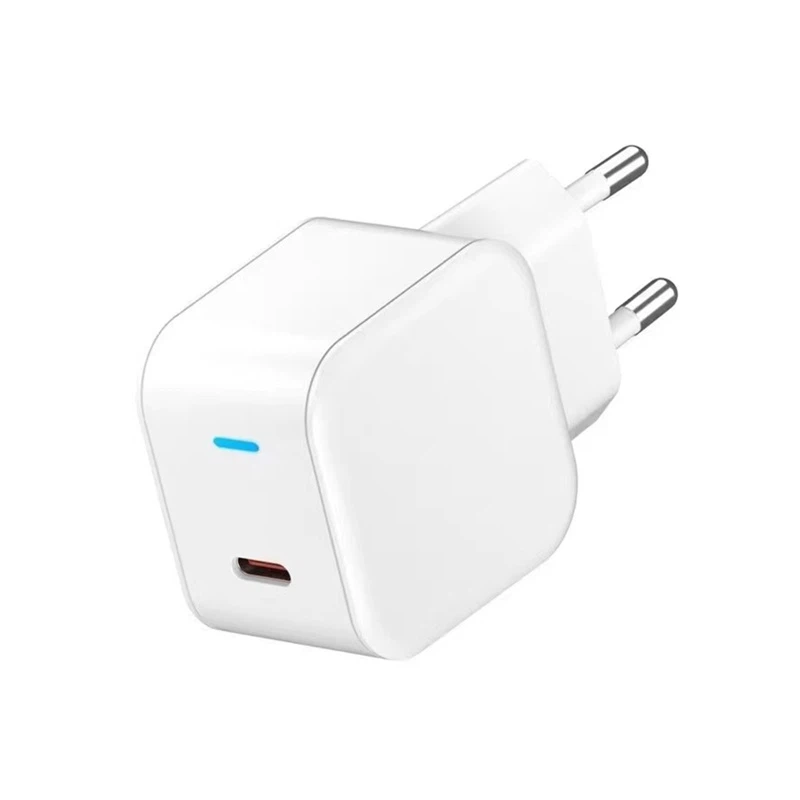
Type C To Type C Cable can potentially charge up to 240 watts and transfer data at up to 40Gbps (and higher eventually with USB4). These are all things even the best USB-A to -C cable can only dream about.
The thing is, while a "full-featured" high-end USB-C to -C cable can do more, most phones can't take advantage of its features. For example, you have to have an iPhone 15 Pro, iPhone 15 Pro Max, or a high-end Android phone such as the Samsung Galaxy S24 Ultra or Google Pixel 8 Pro to be able to transfer data at 10Gbps. Most budget phones and tablets transfer data over USB at a plodding 480Mbps even if you have a USB-C to -C cable capable of 40Gbps transfer rates. And you guessed it, if a phone's top transfer speed is only 10Gbps, pairing it with a 40Gbps-capable USB-C to -C cable still limits you to 10Gbps transfer speeds. The simple truth is that for data transfer, a USB-A to USB-C cable that supports USB 3.2 10Gbps or 20Gbps transfer rates is more than enough for most people.
Where it likely matters more to pay for a USB-C to -C cable is charging speed. Outside of proprietary fast-charging designs used by a few phone makers such as Huawei, Oppo, and One Plus, USB-A on even the newest iPhone and Galaxy generally top out in the 15-watt to 20-watt range. Using a USB-C to -C cable and an appropriate USB-C charger will let you reach 30-watt charge rates or more depending on the phone. We would be remiss if we didn't point out that despite USB-C charging generally outperforming USB-A — in reality, you're not giving up that much performance since most phones don't charge at their maximum charge rates most of the time.

The Type C To Type C cable supports up to 3 Amps of power output for powering and fast charging of phones and tablets equipped with a USB Type-C port. For backup charging, it can be used in conjunction with any USB Type-C phone charger, portable charger, or multi-port USB charger to charge a laptop or other USB Type-C enabled devices. It can also quickly transfer music, photos, and data to and from a laptop with transfer speeds up to 480 Mbps.
The Type C To Type C cable's USB Type-C connector offers a user-friendly reversible design that makes it possible to easily connect the cable to a device. No more wondering which way faces up when plugging it in. Type-C connector is half the width and one-third the height of a standard USB-A connector and only slightly larger than Lightning or Micro-A USB connectors.
Our Factory
Established in 2009, Helge Electronics Co., Ltd. is a leading manufacturer based in Shenzhen, China, renowned for its production of data cables and chargers. With over 180 employees, our company has garnered extensive expertise in the industry.
Boasting a remarkable track record of 15 years in exports, Helge Electronics holds a comprehensive array of certifications, including UL/CUL, TUV/GS, PSE, KC, KCC, CB, FCC, CCC, UKCA, ERP, CEC/CE, EMC, and SMETA. These certifications underscore our commitment to unparalleled quality and adherence to international standards.
Our Certificate




Ultimate FAQ Guide to Type C To Type C Cable
We're well-known as one of the leading type c to type c cable manufacturers and suppliers in China. Our factory offers high quality type c to type c cable made in China with competitive price. Welcome to place an order.
usb cable for non dustproof cable, usb cable for non insulated cable, usb cable for emi rfi shielding cable