

USB A To Type C Cable
What is USB A To Type C Cable?
USB A To Type C Cable, or Universal Serial Bus Type-C, is a standard connection type for mobile and portable devices. It provides a single reversible connector to transmit both power for charging and data for transfers. It is designed to replace all current USB types. As the USB-C standard gets adopted by more device manufacturers, it is expected to become near-ubiquitous.
Why Choose Us?
Rich Experience
Established in 2009, Helge Electronics Co., Ltd. is a leading manufacturer based in Shenzhen, China, renowned for its production of data cables and chargers. With over 180 employees, our company has garnered extensive expertise in the industry.
Complete Qualifications
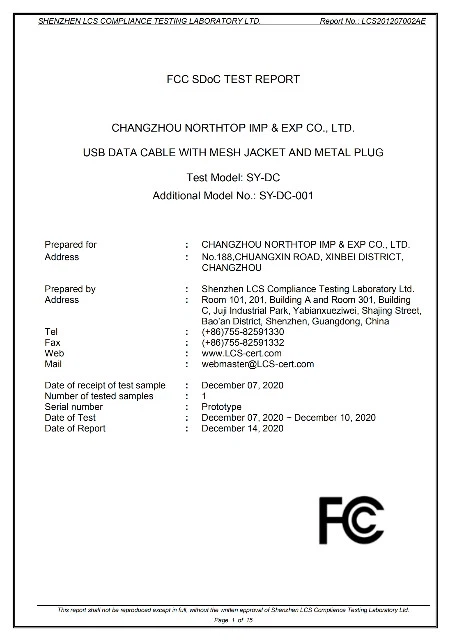
Boasting a remarkable track record of 15 years in exports, Helge Electronics holds a comprehensive array of certifications, including UL/CUL, TUV/GS, PSE, KC, KCC, CB, FCC, CCC, UKCA, ERP, CEC/CE, EMC, and SMETA. These certifications underscore our commitment to unparalleled quality and adherence to international standards.
Professional Technical Team
At the core of our operations is a dynamic research and development team dedicated to driving innovation and product enhancement. Their relentless pursuit of excellence ensures that we stay ahead of market trends and technological advancements, delivering cutting-edge solutions to our customers.
Quality Assurance
Our stringent quality control system guarantees that every product undergoes rigorous inspection, from raw material sourcing to final production, maintaining the highest standards of quality and reliability.


Benefits of USB A To Type C Cable
Reversible end
The best part about the USB Type-C cable is one of its ends is reversible while the other end will be USB-A or Micro USB. With a USB Type-C connector, the need for looking at the connector before plugging gets eliminated. Due to this, the connection process speeds up.
Perfect symmetry
The USB Type-C connector is symmetrical and has round edges. With a feature like this, plug in any direction without worrying about the orientation or right direction. This scenario has solved a first-world problem and enhanced connectivity in comparison to previous USB Type-A ports.
Speed standards
The speed standard of USB Type-C relies on USB 3.1 technology. Due to this, the starting speed is 5 Gbps and can go up to 40 Gbps with Thunderbolt 3 support. Amid this, one must know that the speed of the port is determined by what standard it adheres to. However, the best part about the USB Type-C cable connection is it supports fast data transfer rates. Therefore, the data transfer rate can go up to 10 Gbps, provided the devices must comply with the speed parameters.
Power delivery
Power delivery is one of the integral features of USB Type-C. The technology is extremely capable, with a power output of up to 100 watts at 20 V and 5A. If you compare this with its counterparts USB-A, then USB-C stands victorious in all regards. A laptop needs a minimum of 60 Watts for charging, and USB-C flaunts 100 watts, so it is a win-win situation!
Moreover, USB Type-C cable fast charging for phones is no more a distant dream because of its exhilarating and high power output.
Compliance with Thunderbolt 3
Interestingly, Thunderbolt 3 specification developed by Intel is electrically compatible with a USB-C port. It bears resemblance with USB-C, supports 40 Gbps data transfer and power output of up to 100W. Despite Thunderbolt 3's prowess, USB Type-C cables work just fine on it.
Universality
USB-C flaunts wide acceptance and support. It has already made its presence felt in all the gadgets across the globe, thus adding to its universality!
Compatibility
Now we know how universal the USB-C port is. Alongside this, it is equally compatible as you can use it with third-party devices, USB hubs, etc. Interestingly, it supports USB-C Alternate Mode, also known as Alt Mode.
Protection
To extend maximum protection against malicious hardware, USB-IF launched a USB Type-C authentication program. This program intends to safeguard threats from non-compliant USB chargers and alleviate the risks from harmful and unreliable USB devices. So, if your phone detects a suspicious USB Type-C cable charger, the flow will be interrupted, and so will be the data. And if the connection is authentic, then the current will flow as usual.
Durability speaks
The USB-C has the capacity of handling 10000 pluggings and unplugging. This scenario infers the durability standards of this port.
Independence
The most benefit of having a Type-C port is it's common in almost all devices. It is not mandatory to use a USB Type-C cable charger of that particular device or manufacturer. A charger of different manufacturers is also viable. For example, if you have two different laptops of different brands, you can still fuel them with the same USB Type-C cable. No need to buy separate charging cords altogether!

USB has had several different form specifications for its connectors. Originally, there were just two USB types, USB-A and USB-B. Now, USB-C is joining the game and now changing everything.
• USB-A
USB-A is the most commonly known USB type. The odds are you have plenty of USB-A connectors at home and you're quite familiar with the way the look. It's the cable with that one wider end. Only one, as the connector is not rotationally symmetrical and both ends are different, corresponding to a different type of port.
• USB-B
Just like USB-A, it's the original designation for the two ends of a non-symmetrical cable. The differing form of USB-A and USB-B helps to enforce the mono-directional aspect of these iterations of USB. Data flow is bi-directional, but power may only flow from the host to the peripheral or receptor end and, therefore, the cable can only be connected in one way.
Furthermore, there are mini and micro versions of both USB-A and USB-B, which causes confusion because users need various different cables for basic use cases and may find it difficult to plug devices in for the first time. Or the second.
• USB-C
USB-C simplifies all things considered (we'll explain that even more in depth later on). For starters, it's fully reversible, so no matter what side you grab to plug, it's all the same. Then, its bi-directional power capabilities allow for the power flow in both directions, having devices charge each other and power larger displays. Also, USB-C has better data rates which can drive high-resolution monitors. This point is a boon for all digital artists needing pristine sound and image production. Or anyone who seeks a plug-and-play connection for that matter. Besides, productivity and remaining in the workflow are also heavily dependent on having enough screen space, and USB-C provides just that. Work aside, USB-C monitors bring forth a high-quality home cinema experience.
USB A To Type C Cable: Which is Better?
USB-C is undeniably the superior connection type due to its higher data transfer rates, ability to charge large electronics and symmetrical connection port. This is why it's becoming the industry standard and will become ubiquitous in the near future. With that said, USB-A isn't completely useless. In some cases, you may need it over USB-C.
There are millions of devices that still use USB-A ports. Machines lacking USB-A ports can put you at a disadvantage if you don't have an adapter. After all, an external HDD or SSD with a USB-A connection won't do you any good if you can't connect it via USB-C. Also, USB-A designed for USB 3.0 is still plenty sufficient for everyday computing and even transferring large photos or videos, if you don't mind investing the time.
So while USB-C is objectively better than USB-A, USB-A still has its place in the computing world and should be around for several years to come.
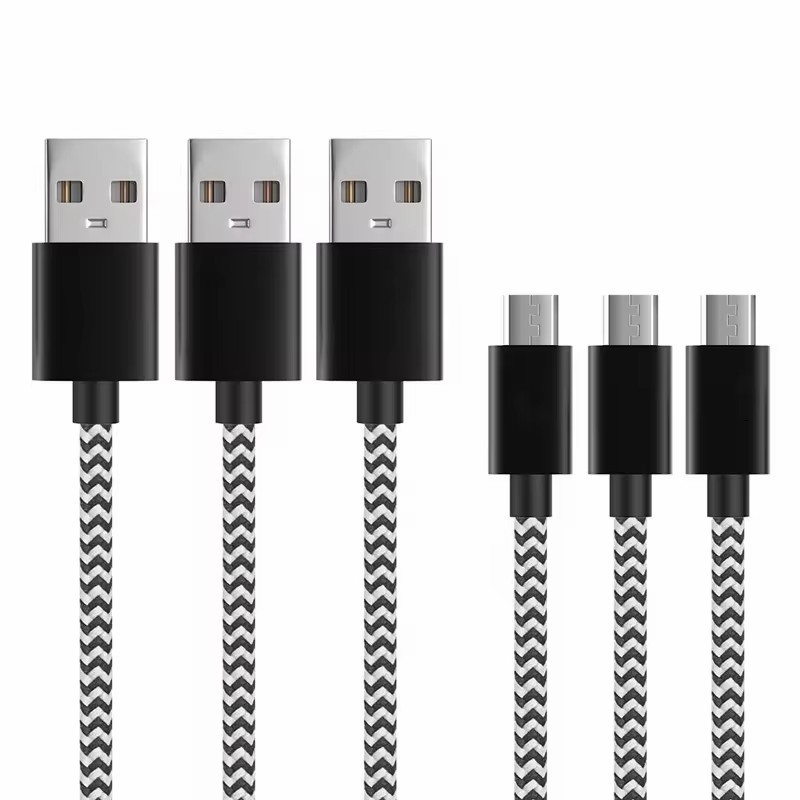
The presence (or absence) of a USB-C port is increasingly becoming a consideration when buying a PC. If you buy an ultrathin laptop, it will almost certainly have at least one USB-C port, which will catapult you into the ecosystem automatically.
If you're more of a lover of desktops, you're certain to find the ports there, too, with at least one on the motherboard-side I/O panel and likely more on high-end and gaming desktops. Some desktops and aftermarket PC cases are putting one on the front panel, too. (Desktop DIY types should know, though, that a USB-C port on a PC case's front or top will require a specific USB-C header connector at the motherboard end, and only late-model motherboards will have these.) Even if you don't need USB-C now, you will before long.
USB A To Type C Cable: Audio and Video Capabilities
While USB-A connections can support audio and video transmission, they generally require additional adapters or cables to connect to devices like monitors or TVs.
USB-C, however, natively supports audio and video transmission through features like DisplayPort Alternate Mode. This means that USB-C can directly connect to devices like monitors or smart TVs without requiring additional adapters, offering a more streamlined and user-friendly solution. Additionally, with the higher data transfer speeds of USB-C, it can support higher-resolution displays and audio formats, such as 4K and 8K video or high-quality audio codecs.
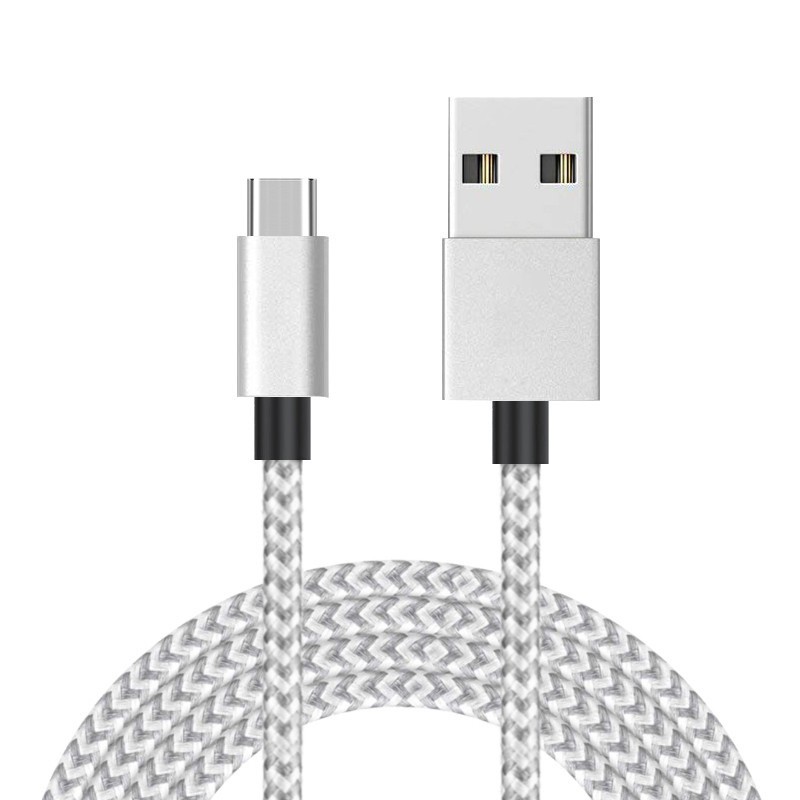
Yes they are. It's the devices they are connected to that are NOT.
Type-A will always assume USBv2 or 3.x source or just the power pair; a type-A port is always host or controller. Type-C can assume many more modes and conditions aside from those I mentioned for type-A: device, sink, PD, alt-HDMI/DP, thunder, etc if manufacturer chooses to install the required bespoke electronics to fulfill them.
The inherent bidirectionality of a type-A-to-type-C cable will not influence anything, except tangentially if cable is designed only for power (one pair within cable), or only for USBv2 (two pairs), or for USBv3.x (four pairs).
Why USB A To Type C Cableis an Upgrade?
Our Factory
Established in 2009, Helge Electronics Co., Ltd. is a leading manufacturer based in Shenzhen, China, renowned for its production of data cables and chargers. With over 180 employees, our company has garnered extensive expertise in the industry.
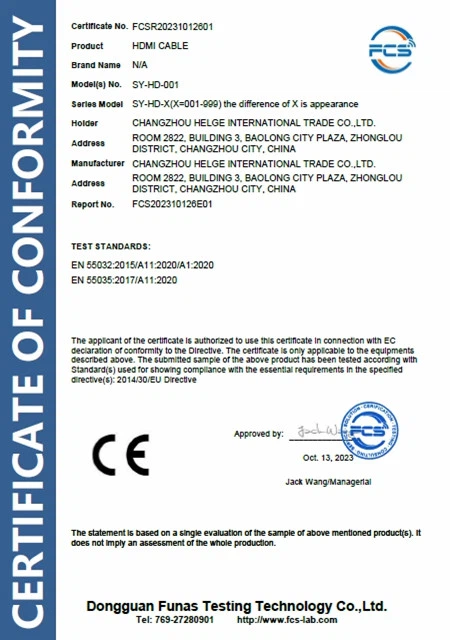
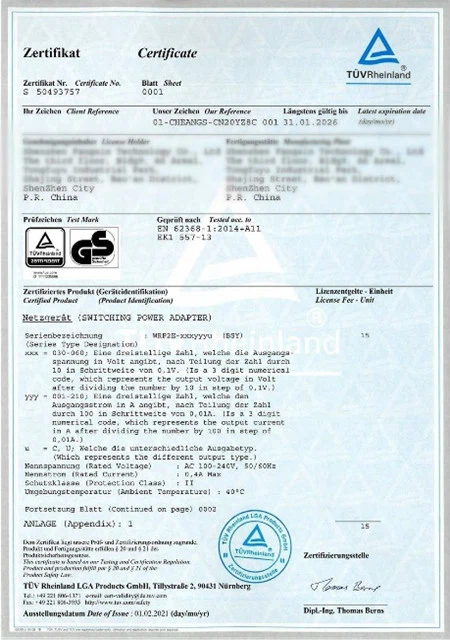
Boasting a remarkable track record of 15 years in exports, Helge Electronics holds a comprehensive array of certifications, including UL/CUL, TUV/GS, PSE, KC, KCC, CB, FCC, CCC, UKCA, ERP, CEC/CE, EMC, and SMETA. These certifications underscore our commitment to unparalleled quality and adherence to international standards.
Our Certificate




Ultimate FAQ Guide to USB A To Type C Cable
We're well-known as one of the leading usb a to type c cable manufacturers and suppliers in China. Our factory offers high quality usb a to type c cable made in China with competitive price. Welcome to place an order.
Silicone USB C Cable, charging cable c type, data cord for android