

Hey there! As a supplier of Type C to Type C cables, I often get asked this question: "Are all Type C to Type C cables the same?" Well, the short answer is no. In this blog, I'll break down the differences and explain why it matters.
The Basics of Type C Connectors
First things first, let's talk about what makes Type C connectors so popular. The USB Type - C connector is a relatively new standard that offers a lot of advantages. It's reversible, which means you don't have to fumble around trying to plug it in the right way. It's also smaller and more compact compared to older connector types, making it a great fit for modern, sleek devices.
But just because two cables have Type C connectors on both ends doesn't mean they're identical. There are several factors that can vary from one Type C to Type C cable to another.

Power Delivery
One of the most significant differences between Type C cables is their power - delivery capabilities. Some cables are designed to handle only low - power devices, like smartphones or earbuds. These cables might be able to deliver just a few watts of power, enough to charge a small device slowly.
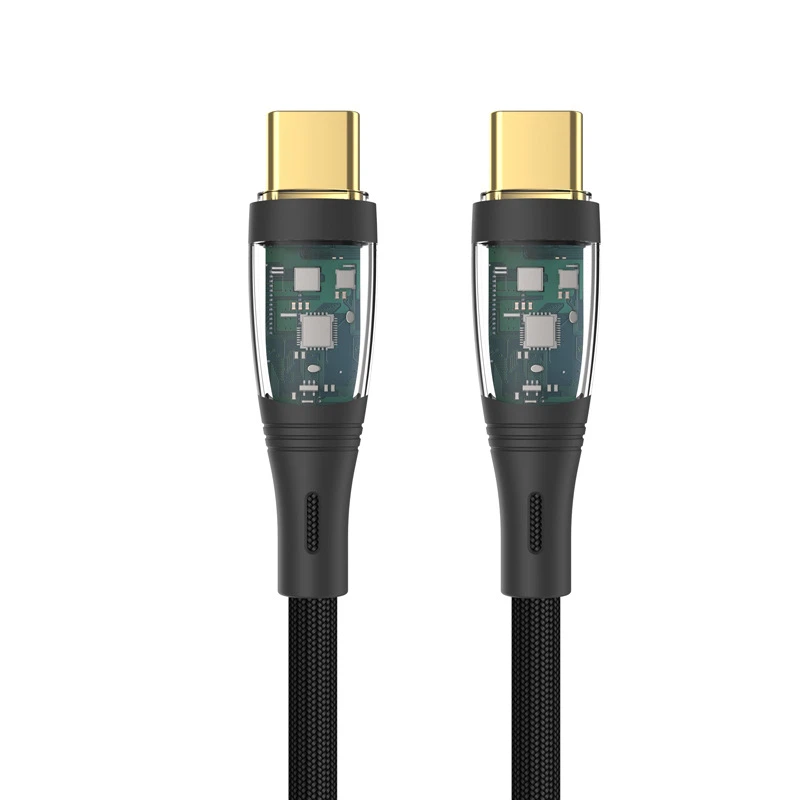
On the other hand, there are high - power Type C cables. For example, the 5A Transparent USB C Cable can handle much higher power levels. It's capable of delivering up to 65W or even more in some cases. This is crucial for charging laptops, tablets, and other high - power devices quickly.
Power delivery is determined by the cable's internal wiring. Thicker wires can carry more current without overheating, so cables designed for high - power delivery usually have thicker conductors. If you try to use a low - power cable to charge a high - power device, it might not work at all, or it could take an incredibly long time to charge.
Data Transfer Speeds
Another key difference is data transfer speed. Type C cables can support different data transfer protocols, and this affects how fast you can move files between devices.
Some basic Type C cables support USB 2.0 speeds, which are relatively slow. You're looking at transfer rates of up to 480 Mbps. This is fine for transferring small files or syncing basic data.
However, if you need to transfer large files, like high - definition videos or big software packages, you'll want a cable that supports USB 3.1 or USB 3.2 Gen 2. These cables can offer much faster data transfer speeds, up to 10 Gbps or even 20 Gbps. The PD Type C Cable is an example of a cable that can provide high - speed data transfer along with power delivery.
The data transfer speed is also related to the cable's construction. Cables with better shielding and higher - quality wiring are more likely to support faster data transfer rates.
Build Quality and Durability
Build quality is often overlooked but is extremely important. Not all Type C cables are built to last. Some cables use cheap materials and poor manufacturing processes, which can lead to problems like fraying, broken connectors, or intermittent connections.
A well - made Type C cable will have a sturdy outer jacket that protects the internal wires from damage. It will also have connectors that are firmly attached and can withstand repeated plugging and unplugging. For example, the Lanyard Cable is designed with durability in mind. It's made with high - quality materials that can handle the wear and tear of daily use.
Compatibility
Compatibility is another factor to consider. While most Type C devices are supposed to be compatible with Type C cables, there can still be issues. Some devices might have specific requirements for power delivery or data transfer, and not all cables will meet those requirements.
For instance, some laptops require a cable that supports a specific power - delivery profile to charge properly. If you use the wrong cable, you might get an error message or the laptop might not charge at all.
Why It Matters to You
As a consumer, understanding these differences is crucial. If you're using a cable that's not suitable for your device, you could be missing out on the full capabilities of your device. You might experience slow charging, slow data transfer, or even damage to your device.
As a supplier, I see the importance of providing customers with the right cables for their needs. That's why we offer a wide range of Type C to Type C cables, each designed to meet different requirements. Whether you need a cable for a low - power device, a high - power laptop, or for fast data transfer, we've got you covered.
Making the Right Choice
So, how do you choose the right Type C to Type C cable? Here are some tips:
- Know your device's requirements: Check your device's manual to see what power and data transfer capabilities it supports.
- Consider your usage: If you're mainly using the cable to charge your phone, a basic cable might be sufficient. But if you need to transfer large files or charge a laptop, you'll want a high - quality, high - performance cable.
- Look for quality: Pay attention to the build quality of the cable. A well - made cable will last longer and perform better.
Contact Us for Your Cable Needs
If you're in the market for Type C to Type C cables, we'd love to help. We have a team of experts who can answer your questions and help you find the perfect cable for your needs. Whether you're a business looking to purchase in bulk or an individual consumer, we've got the products and the service you're looking for.
Don't settle for a one - size - fits - all cable. Get the cable that's right for you and your devices. Reach out to us, and let's start the conversation about your cable requirements.
References
- USB Implementers Forum. "USB Type - C Specification."
- Various device manufacturers' manuals for information on Type C cable compatibility.