

In the realm of data transfer, the choice between cables can significantly impact efficiency, reliability, and cost - effectiveness. As a supplier of Multifunction Data Cable, I am often asked how our products stack up against fiber - optic cables. In this blog post, I'll explore the key aspects of data transfer and compare multifunction data cables with fiber - optic cables to help you make an informed decision.

Data Transfer Speed
One of the most critical factors in data transfer is speed. Fiber - optic cables are renowned for their blistering fast data transfer rates. They use light signals to transmit data, which can travel at speeds close to the speed of light. Modern fiber - optic cables can support data transfer rates of up to 100 Gbps or even higher in some advanced setups. This makes them ideal for high - bandwidth applications such as large - scale data centers, high - definition video streaming on a massive scale, and high - speed internet connections over long distances.
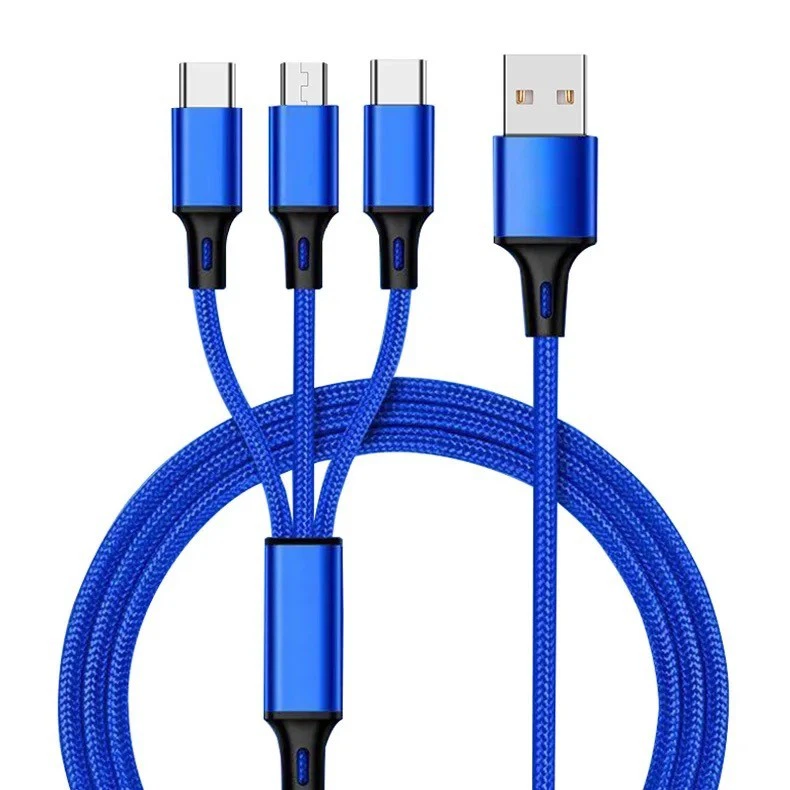
On the other hand, multifunction data cables, while not reaching the same speeds as fiber - optic cables in most cases, offer a wide range of capabilities. Our 1m 3 in 1 Charging Cable for travel and Travel Portable 4 in 1 Multi Charging Cable for iPhone are designed with USB standards. USB 3.2 Gen 2x2 can achieve data transfer speeds of up to 20 Gbps. For everyday consumer use, such as transferring files between a laptop and a smartphone or backing up personal data, these speeds are more than sufficient. Moreover, the multifunction nature of these cables means they can charge multiple devices simultaneously while transferring data, which is a unique advantage over fiber - optic cables that are mainly focused on data transfer.
Distance Limitations
Fiber - optic cables excel when it comes to long - distance data transfer. Due to the low signal loss of light traveling through the fiber, they can transmit data over kilometers without significant degradation. This makes them the go - to choice for telecommunications companies that need to connect different regions, or for large - scale enterprises with multiple offices spread across a large area.
Multifunction data cables, however, have more limited distance capabilities. The signal strength of electrical signals used in these cables decreases over distance. For example, a standard USB cable has an effective data transfer distance of around 3 - 5 meters. Beyond this distance, the signal quality may deteriorate, leading to slower data transfer speeds or even data loss. But for most home and office setups where devices are in close proximity, this limitation is not a major issue. In fact, the compactness and flexibility of multifunction data cables make them perfect for short - range connections between devices like a computer and a printer, or a smartphone and a charger.
Cost Considerations
Cost is an important factor for both consumers and businesses. Fiber - optic cables and their associated installation equipment can be quite expensive. The fiber - optic cables themselves are costly to manufacture, and the installation process requires specialized skills and equipment. For a small business or a home user, the high upfront cost of installing a fiber - optic network may not be justifiable.
Multifunction data cables, in contrast, are relatively inexpensive. They are mass - produced, and the technology is well - established, which keeps the costs down. Our multifunction data cables offer a cost - effective solution for those who need to connect multiple devices and transfer data without breaking the bank. Whether you're a student looking to transfer files between your laptop and smartphone or a small business owner setting up a basic office network, multifunction data cables provide a budget - friendly option.
Flexibility and Compatibility
Multifunction data cables are incredibly flexible in terms of their use. They can be used for a variety of purposes, including charging devices, transferring data, and even audio and video transmission in some cases. The different connectors available on these cables allow them to be compatible with a wide range of devices, from smartphones and tablets to laptops and gaming consoles.
Fiber - optic cables, while highly specialized for data transfer, have limited compatibility. They require specific fiber - optic network interfaces and equipment, which may not be available on all devices. This lack of universal compatibility can be a drawback for users who want a simple and straightforward way to connect their existing devices.
Durability
Fiber - optic cables are relatively fragile. The fiber strands inside the cable are thin and can be easily damaged if bent too sharply or subjected to physical stress. This means that they need to be installed and handled with care. Additionally, environmental factors such as temperature and humidity can also affect their performance.
Multifunction data cables are generally more durable. They are designed to withstand the wear and tear of daily use. The outer insulation of these cables is made of materials that can resist abrasion, and the connectors are built to be sturdy. This makes them a great choice for environments where the cables may be moved around or exposed to some physical stress, such as in a busy office or a household with children.
Conclusion
In conclusion, both multifunction data cables and fiber - optic cables have their own unique advantages and disadvantages. Fiber - optic cables are the best choice for high - speed, long - distance data transfer, especially in large - scale enterprise and telecommunications applications. However, for most everyday consumer and small - business needs, multifunction data cables offer a more practical, cost - effective, and flexible solution.
If you're interested in learning more about our multifunction data cables or are looking to make a purchase for your personal or business use, we'd love to have a discussion with you. Feel free to reach out for more information and to start a procurement negotiation. We are committed to providing high - quality products and excellent customer service to meet your data transfer needs.
References
- "Data Communications and Networking" by Behrouz A. Forouzan
- "Fiber Optic Essentials" by John Crisp
- USB Implementers Forum official documentation