

Hey there! As a supplier of USB C and USB A wall chargers, I've seen my fair share of chargers that either work like a charm or give users a bit of a headache. One of the most common questions I get is, "How can I tell if my USB C wall charger is working properly?" Well, you're in luck because I'm gonna break it down for you in this blog post.
Visual Inspection
First things first, give your charger a good once - over. Look for any obvious signs of damage. Check the cable for fraying, cuts, or kinks. A damaged cable can disrupt the flow of electricity and prevent your charger from working correctly. Also, take a peek at the charger brick itself. Are there any cracks, burns, or loose parts? If you spot any of these issues, it's a red flag, and you might want to replace the charger right away.
Check the Plug and Socket
The next step is to make sure the plug and socket are in good shape. Sometimes, the problem isn't with the charger at all but with the outlet it's plugged into. Try plugging the charger into a different socket. If it works in the new socket, then the original outlet might be the culprit. Also, check the prongs on the charger plug. Are they bent or dirty? If so, you can carefully straighten the prongs (be super careful not to break them) and clean them with a dry cloth.
Try with Different Devices
If your charger seems to be in good physical condition and the socket is working fine, the next thing to do is test it with different devices. Not all devices are created equal, and sometimes, a charger might not work well with a particular device due to compatibility issues. Grab a few different USB - C enabled devices like your smartphone, tablet, or laptop. Plug them into the charger one by one and see if they start charging.
For example, if you have a 20w USB C Wall Charger, it should be able to charge your phone relatively quickly. If it doesn't charge your phone but works with your tablet, then there might be an issue with your phone's charging port or its internal charging circuitry.
Use a Multimeter
If you're feeling a bit more tech - savvy, you can use a multimeter to test the charger. A multimeter is a handy tool that can measure voltage, current, and resistance. Here's how you can use it to test your USB C charger:
- Set your multimeter to measure DC voltage.
- Carefully insert the multimeter probes into the USB C port of the charger. Make sure you insert them into the correct pins. The positive probe should go into the positive pin, and the negative probe should go into the negative pin.
- Check the reading on the multimeter. A properly functioning USB C charger should output the correct voltage. Most USB C chargers output 5V, 9V, 12V, or higher, depending on the charger's specifications. If the reading is way off or shows zero voltage, then the charger is likely defective.
Look for Charging Indicators
Most devices have charging indicators that let you know when they're charging. When you plug your device into the charger, look for these indicators. On a smartphone, for example, you might see a battery icon with a lightning bolt or a charging animation on the screen. If you don't see any charging indicators after a few minutes, it could mean that the charger isn't working.
Check the Charging Speed
Another way to test if your charger is working properly is to check the charging speed. If you know how long it usually takes to charge your device with a particular charger, compare that time with how long it takes with the charger you're testing. For instance, if your phone usually charges from 0 to 50% in 30 minutes with a good charger, but it takes an hour or more with the new charger, then there might be an issue.
Heat Generation
Pay attention to how much heat the charger generates during use. It's normal for chargers to get a little warm when they're in use, but if it gets extremely hot, that's a bad sign. Excessive heat can indicate a problem with the charger's internal components, such as a short circuit or a faulty capacitor. If your charger is getting too hot to touch, unplug it immediately and stop using it.

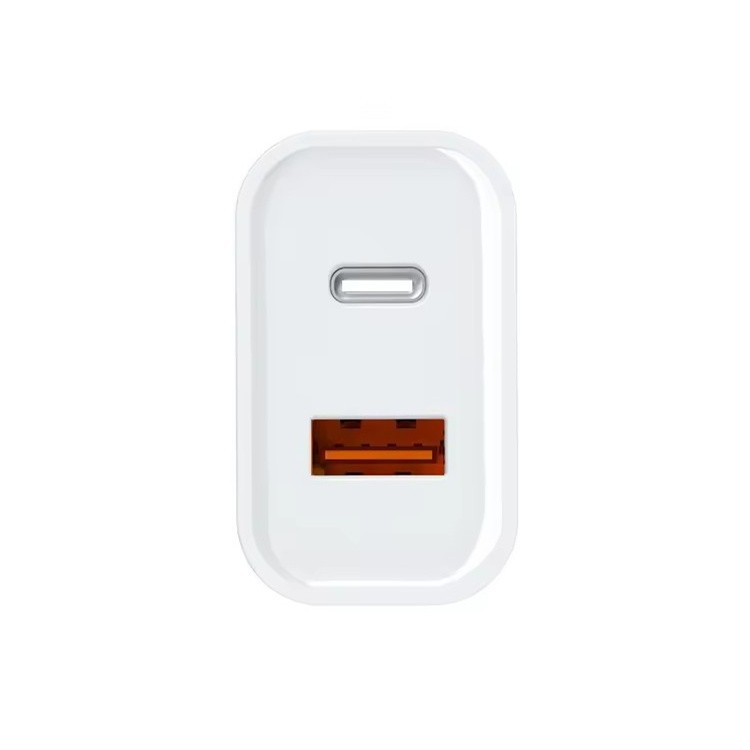
Compatibility with USB A Devices
As a supplier of both USB C and USB A wall chargers, I know that sometimes, people also want to use their USB C chargers with USB A devices using an adapter. If you're doing this, make sure the adapter is working properly. You can test it by plugging a USB A device, like a wireless earbud case or an old smartphone, into the adapter and then into the USB C charger. If the device charges, then the setup is working. For example, our 5V/2A Dual USB - A USA Charger can be a great option for charging multiple USB A devices at once.
UL Certification
When you're in the market for a new charger, it's always a good idea to look for chargers that are UL certified. UL (Underwriters Laboratories) is an independent organization that tests and certifies electrical products for safety. Our UL Certified Wall Charger has gone through rigorous testing to ensure that it meets safety standards. If you're having trouble with a charger that isn't UL certified, it might be worth investing in a certified one.
Conclusion
Testing if a USB C wall charger is working properly isn't rocket science. By following these simple steps, you can quickly figure out if your charger is the problem or if there's something else going on. If you've tried all these methods and still can't get your charger to work, it might be time to get a new one.
If you're in the market for high - quality USB C and USB A wall chargers, we've got you covered. We offer a wide range of chargers that are reliable, safe, and efficient. Whether you need a powerful 20w USB C charger for your latest smartphone or a dual USB A charger for multiple devices, we have the right product for you.
If you're interested in purchasing our chargers or have any questions about our products, feel free to reach out to us for a procurement discussion. We're always happy to help you find the best charging solutions for your needs.
References
- General knowledge and experience in the USB charger industry.
- Technical specifications of USB C and USB A chargers.